Petitioning
Managing Sessions
View all petitioning sessions and analyze location performance.
The petitioning hub includes admin-facing tabs for reviewing session history and evaluating which locations produce the most signatures.
Sessions Tab
The Sessions tab shows all petitioning sessions for your space.
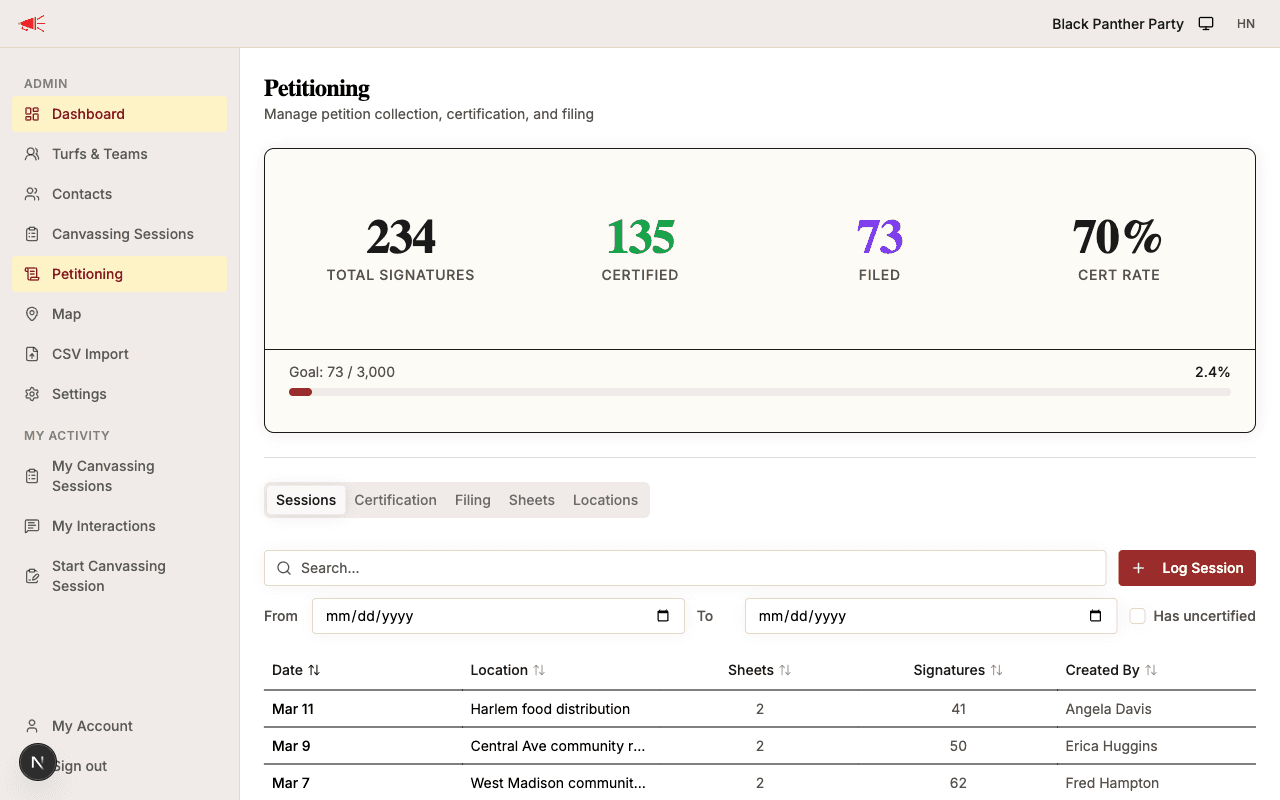
The table includes:
- Date — When the session took place.
- Location — Where the session was held.
- Sheets — Number of petition sheets linked to this session.
- Signatures — Total signatures from linked sheets.
- Created by — Who logged the session.
Filtering Sessions
Use the controls above the table to narrow results:
- Search — Filter by location name.
- Date range — Set From and To dates to focus on a specific period.
- Has uncertified — Check this to show only sessions that have sheets still in the Collected status.
Editing a Session
Click on a session row to open its details. From there you can update the location, times, day-of-point, or notes.
Locations Tab
The Locations tab aggregates data across sessions to show how each petitioning location is performing.
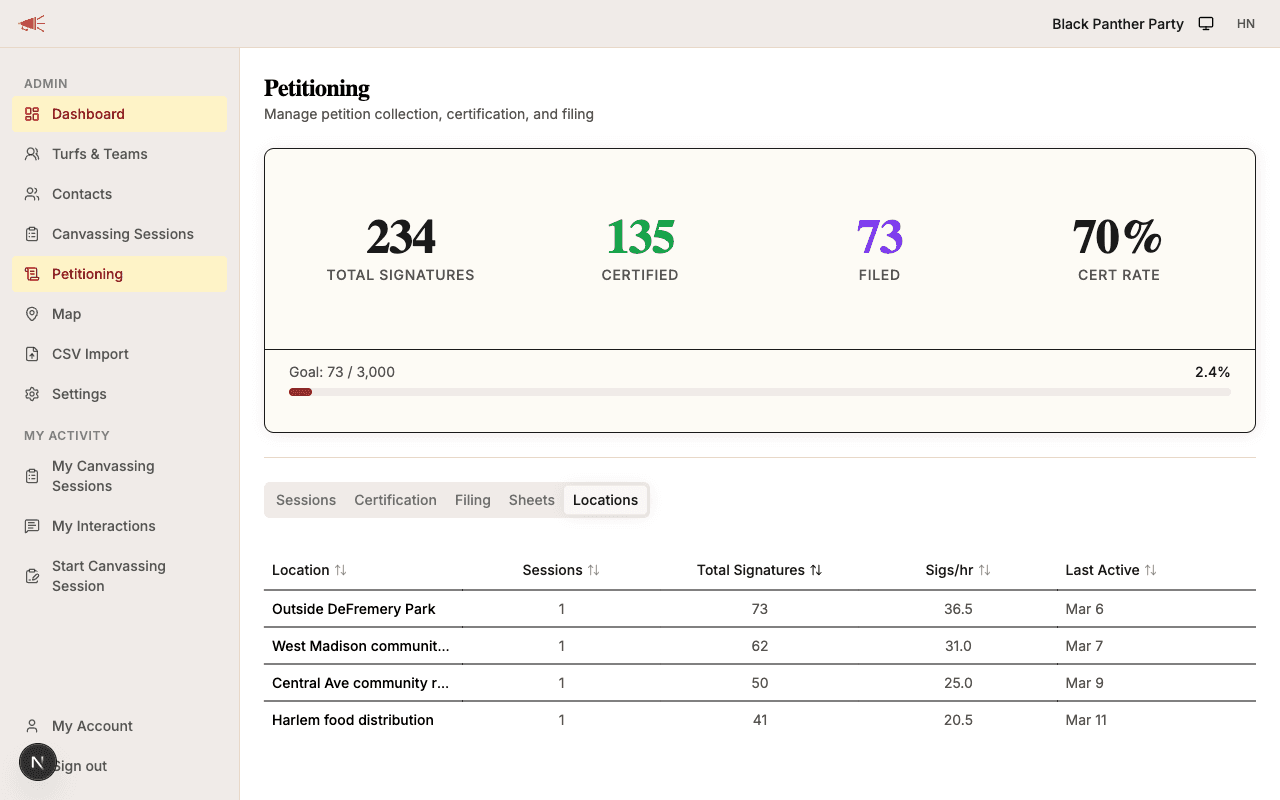
The table includes:
| Column | Description |
|---|---|
| Location | The location name. |
| Sessions | How many sessions were held there. |
| Total signatures | Sum of all signatures from sheets linked to sessions at that location. |
| Sigs/hr | Signatures per hour — a measure of location efficiency. |
| Last active | The date of the most recent session at that location. |
Click any column header to sort. Use this view to identify high-performing locations and allocate future sessions accordingly.