Petitioning
Petitioning Overview
Track petition sheets, sessions, certification, and filing from one hub.
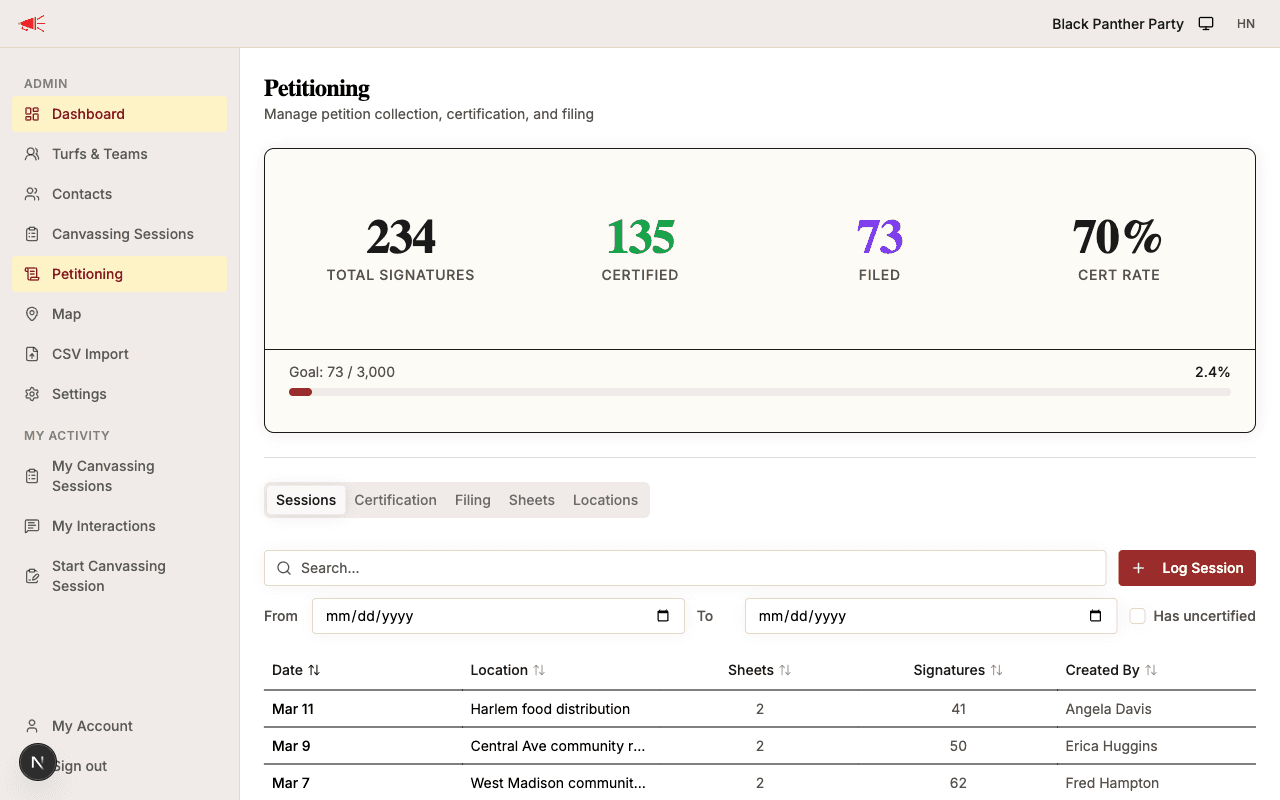
The petitioning hub gives your organization a single place to manage the full lifecycle of petition signatures — from collecting sheets in the field to filing them with the state.
Sheet Lifecycle
Every petition sheet moves through four statuses:
| Status | Meaning |
|---|---|
| Collected | Sheet has been uploaded to the app after a petitioning session. |
| Certified | City hall has verified the signatures and the certified sheet has been scanned back into the app. |
| Filed | Sheet has been filed with the state. A running signature count is tracked. |
Key Concepts
- Petition sheet — A scanned image of a physical petition page, along with its city, signature count, and status.
- Petitioning session — A scheduled block of time at a specific location where volunteers collect signatures. Each sheet can be linked to the session it came from.
- Day-of-point — The person responsible for coordinating a petitioning session (distributing materials, confirming attendance, collecting sheets).
- Filing batch — A group of certified sheets filed together with the state. Tracks the filing date and a running count of total filed signatures.
- Signature goal — An optional target number of filed signatures, configured in space settings. When set, a progress bar appears on the dashboard.
Guides
Logging Sessions
Create petitioning sessions to organize field work.
Uploading Sheets
Scan and upload petition sheets with signature counts.
Certifying Signatures
Scan certified sheets and match them to originals.
Filing Signatures
File certified sheets with the state.
Managing Sessions
View all sessions and location performance (admin).
Tracking Progress
Dashboard stats, signature goals, and filters.