Teams
View teams, track performance, and manage team membership as a volunteer captain.
The Teams page gives volunteer captains visibility into all the teams in your organization — who's on each team, how they're performing, and which canvassing sessions they've run.
Viewing Teams
Open Turfs & Teams from the sidebar. You'll see a list of all teams with a summary of each team's activity.
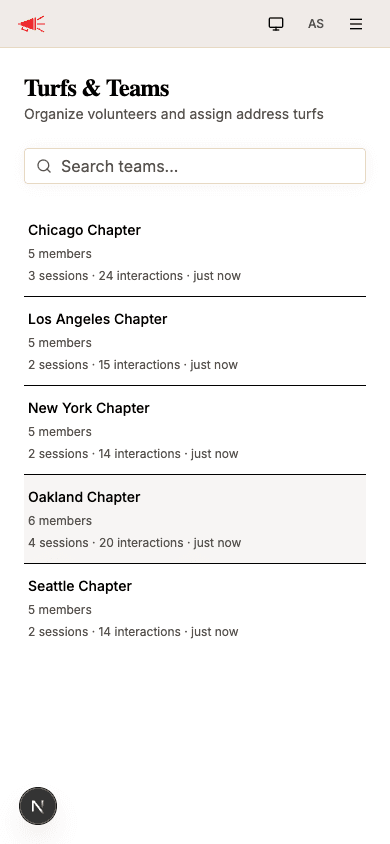
Each team card shows:
- Team name
- Member count
- Sessions, interactions, and last activity — a quick snapshot of the team's canvassing output
Use the search bar at the top to find a specific team by name.
Team Detail
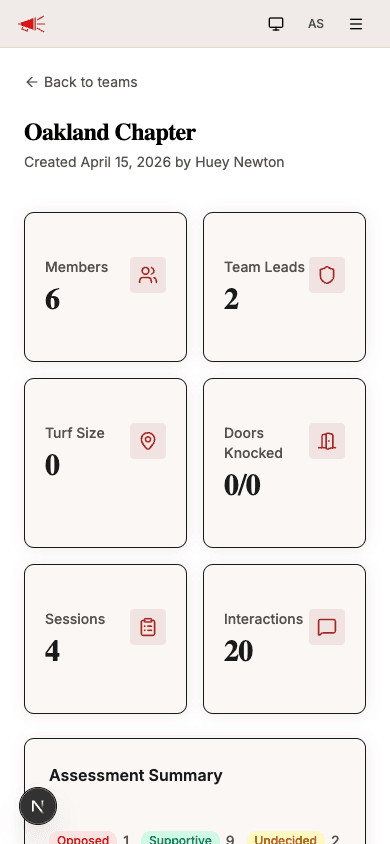
Tap a team to view its full detail page. The top section shows stat cards summarizing the team's performance.
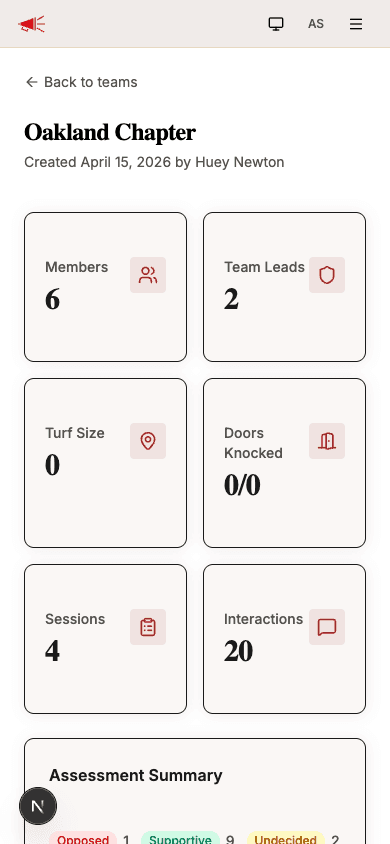
| Stat | Description |
|---|---|
| Members | Total number of volunteers on the team. |
| Team Leads | Number of members designated as leads. |
| Turf Size | Number of addresses assigned to the team. |
| Doors Knocked | How many assigned addresses have been visited vs. total. |
| Sessions | Total canvassing sessions the team has run. |
| Interactions | Total door knocks recorded across all sessions. |
Below the stats, you'll see an Assessment Summary showing a breakdown of conversation outcomes by assessment type (e.g., Supportive, Undecided, Opposed).
Members
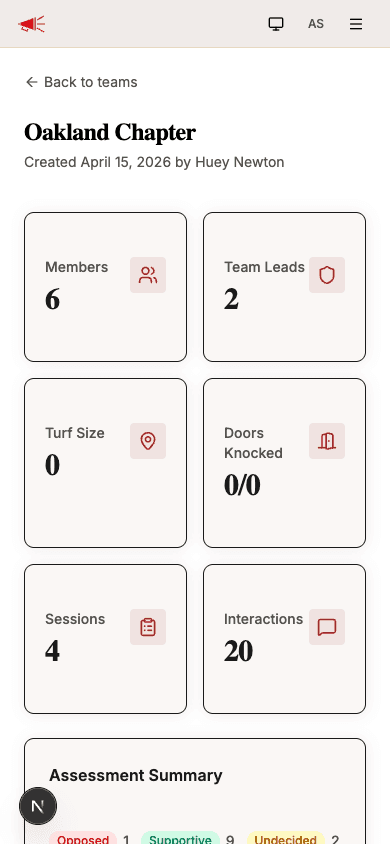
The members section lists everyone on the team, sorted by interaction count. Each member shows their name, email, interaction count, and whether they're a Lead.
Managing Members
As a volunteer captain, you can add or remove members from a team. Tap Manage Members to open the member management dialog.
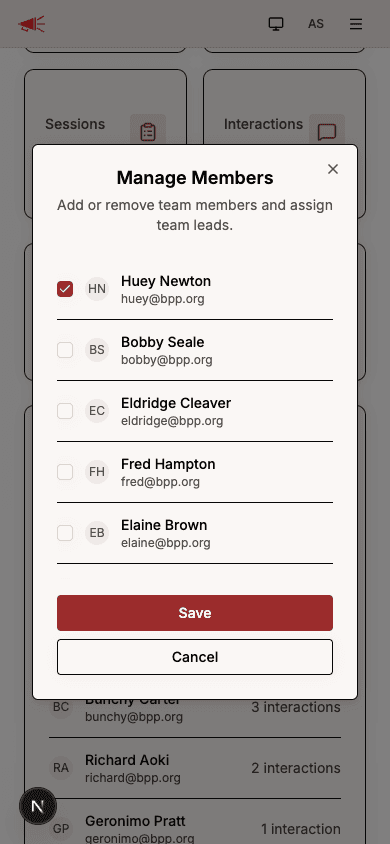
The dialog shows all members of your organization. Check or uncheck the box next to each name to add or remove them from the team. Tap Save when you're done.
Recent Canvassing Sessions
The bottom of the team detail page shows the team's most recent canvassing sessions. Each session shows its date, participant count, interaction count, and duration (or an In Progress badge if the session is still active).
Tap any session to view its full details, or tap View all canvassing sessions to see the complete list.